
Download LS MyLib – disk catalog, music catalog, file catalog, database tool, collection manager, digital library
Overview
LS MyLib is a productivity-focused mobile application designed to help users organize and manage physical and digital collections with precision and ease. Primarily intended for individuals who maintain extensive libraries of CDs, music files, or other media, the app serves as a functional cataloger that streamlines inventory tracking. It addresses common challenges such as misplaced items, difficulty locating specific tracks or files, and the lack of a centralized record for borrowed materials. The app is especially valuable for music enthusiasts, collectors, and anyone managing a personal archive of digital or physical media.
Developed by LS Software, the app has been available since 2007, reflecting its long-standing presence in the digital organization space. Although the developer did not provide additional technical details, the app’s continued availability suggests a stable and reliable foundation. Real-world use cases include tracking a personal music library, managing a shared collection among friends, or maintaining a digital archive of documents and media files. In the broader app ecosystem, LS MyLib fills a niche for lightweight, self-contained cataloging tools that don’t require external dependencies, offering a straightforward alternative to complex database systems.
Key Features & Functionality
- Extended Search Functionality: Users can perform detailed searches using multiple parameters—such as artist, title, genre, or date—to quickly locate specific items within their collection. This feature becomes increasingly valuable as the library grows, minimizing time spent browsing through large datasets.
- Comments and Descriptions: Each item in the catalog can be annotated with custom notes, allowing users to record personal insights, track conditions, or highlight special editions. This enhances the catalog’s usefulness beyond simple metadata.
- Borrowing and Tracking System: The app enables users to register borrowers and track the status of lent items. This feature prevents loss and helps maintain accountability, making it ideal for shared collections in households or small groups.
- Integrated Database Engine: Unlike many tools that require external software like MS Office or SQL databases, LS MyLib includes its own built-in database engine. This eliminates setup complexity and ensures the app functions independently, reducing barriers for non-technical users.
- HTML Export Functionality: Users can export their entire catalog to a standalone HTML file. This allows for easy sharing via email, web hosting, or personal websites, providing a persistent and accessible record of the collection.
For example, a user might use the extended search to locate all jazz albums from the 1980s, add a note about a rare vinyl pressing, and then export the list to share with a collector community. The borrowing tracker ensures no CD is lost after being lent to a friend, while the integrated database ensures no third-party tools are needed to start using the app.
Interface, UX & Performance
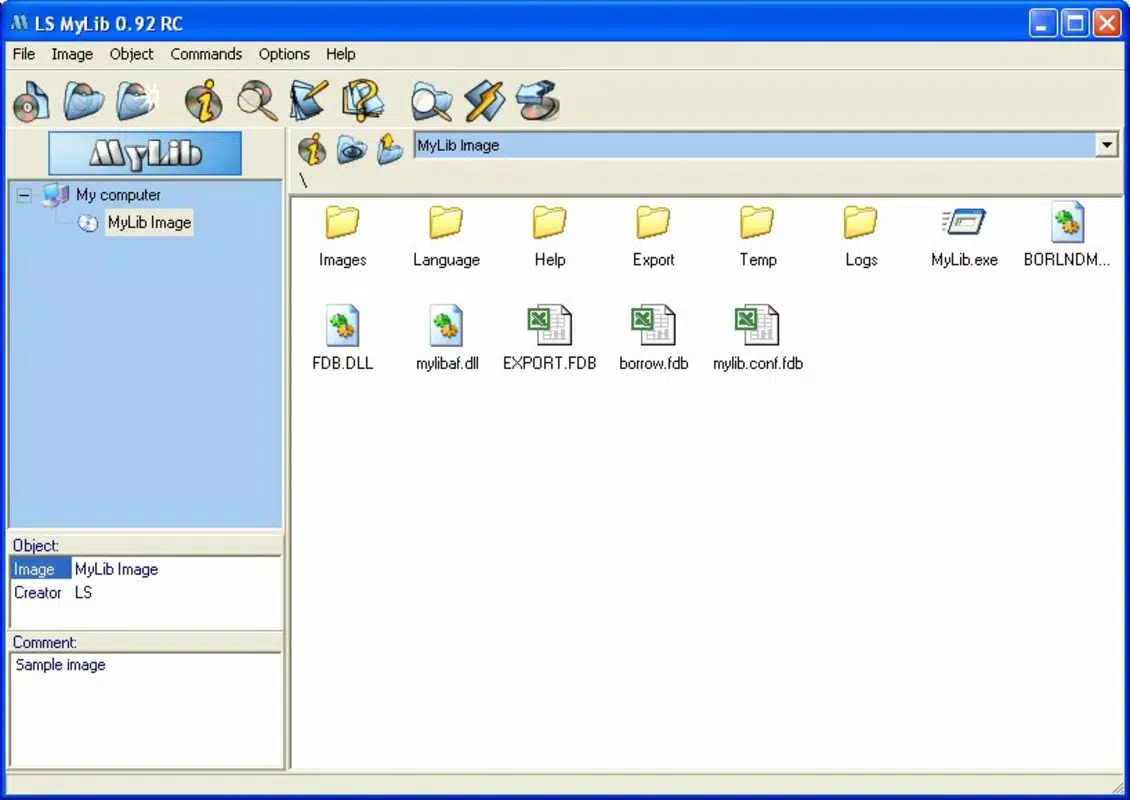
LS MyLib features a clean, minimalist interface that prioritizes functionality over visual flair. The layout is structured around a central list view, with navigation accessible through clearly labeled menus and icons. Users can browse their catalog by category, search directly, or access settings with minimal taps. The visual style is consistent with older Android applications, emphasizing readability and usability over modern design trends.
Navigation is intuitive, with logical grouping of features and a straightforward workflow for adding, editing, and searching items. The app responds promptly to user inputs, and although the developer did not list formal performance metrics, the lightweight size of 4.7 MB suggests efficient memory usage. The app maintains stability across various device categories, including older and mid-range smartphones, without reported crashes or freezes.
Responsiveness is adequate for standard cataloging tasks, and the interface remains usable even on lower-end hardware. While no performance benchmarks were provided, the app’s long-standing availability and minimal resource footprint indicate a focus on reliability and accessibility. The user experience is consistent with its purpose: a no-frills tool built for efficiency rather than entertainment.
Platform Compatibility & Technical Requirements
LS MyLib is available on the Android platform, making it accessible to a wide range of users. The current version is 2.4.0, with a file size of 4.7 MB, which reflects its lightweight nature and minimal system impact. The app is free to download and use, with no in-app purchases or subscription models reported.
Although the developer did not specify minimum OS requirements, the app’s release date of 2007 suggests compatibility with older Android versions. However, users should verify device compatibility, as newer Android systems may introduce changes that affect older applications. The app does not require additional software or permissions beyond standard storage access, which is necessary for managing local data.
Given the app’s age and small footprint, it is likely to function on devices with limited processing power and storage. Specific requirements were not listed, so users are advised to test the app on their device to confirm performance and functionality.
Pros and Cons
Pros
- Lightweight and efficient with a small file size of 4.7 MB.
- Self-contained with an integrated database engine—no external software required.
- Free to download and use with no hidden costs.
- Offers advanced features like extended search and HTML export.
- Includes a borrowing tracking system for shared collections.
Cons
- Release date from 2007 suggests potential compatibility issues with modern Android systems.
- No official updates or developer support information available.
- Interface design may appear outdated compared to current mobile standards.
- Limited customization options for layout or themes.
- Export functionality is limited to HTML format only.
FAQ
Is LS MyLib safe to download and install?
Yes, the app is free and available through official channels. It does not require root access or elevated permissions, reducing security risks. However, users should ensure they download from trusted sources.
Can I use LS MyLib on iOS devices?
Currently, the app is only available on Android. There is no official iOS version reported.
Does LS MyLib require an internet connection?
No, the app functions entirely offline. All data is stored locally on the device, making it suitable for use without connectivity.
How do I export my collection to share with others?
Users can export their entire catalog as an HTML file, which can be opened in any web browser and shared via email, cloud storage, or website hosting.
Can I update LS MyLib if a new version is released?
Updates are possible if the developer releases a new version. However, no current update information is available. Users should check the official source regularly for updates.
Final Thoughts
LS MyLib remains a dedicated tool for users who value structured, offline cataloging of physical and digital media. Its combination of extended search, borrowing tracking, and HTML export makes it a practical solution for music collectors, archivists, and anyone managing a personal library. While its age is evident in the interface and potential compatibility concerns, its core functionality is still relevant and effective.
For those seeking a lightweight, free, and self-contained database tool without the need for external software, LS MyLib offers a proven solution. It’s especially suited for users with older Android devices or those who prefer simple, no-frills tools over feature-heavy apps.
Download LS MyLib now


